Note
Go to the end to download the full example code.
Vector field sensors in 2D
This example demonstrates the application of the pyvale sensor simulation module to vector fields in 2 spatial dimensions. An example of a vector field sensor would be a displacement transducer, point tracking or velocity sensor.
Note that this example has minimal explanation and assumes you have reviewed the basic sensor simulation examples to understand how the underlying engine works as well as the sensor simulation workflow.
1. Load physics simulation data
data_path: Path = dataset.mechanical_2d_path()
sim_data: io.SimData = mh.ExodusLoader(data_path).load_all_sim_data()

disp_keys = ("disp_x","disp_y")
sim_data: io.SimData = sens.scale_length_units(scale=1000.0,
                                               sim_data=sim_data,
                                               disp_keys=disp_keys)
2. Build virtual sensor arrays
sim_dims: dict[str,tuple[float,float]] = sens.simtools.get_sim_dims(sim_data)
sens_pos: np.ndarray = sens.gen_pos_grid_inside(num_sensors=(2,2,1),
                                                x_lims=sim_dims["x"],
                                                y_lims=sim_dims["y"],
                                                z_lims=(0.0,0.0))

sample_times: np.ndarray = np.linspace(0.0,np.max(sim_data.time),50)

sens_angles: tuple[Rotation] = (
    Rotation.from_euler("zyx",[0,0,0], degrees=True),
)

sens_data = sens.SensorData(positions=sens_pos,
                            sample_times=sample_times,
                            angles=sens_angles)

descriptor = sens.SensorDescriptor(name="Disp.",
                                   symbol=r"u",
                                   units=r"mm",
                                   tag="DS",
                                   components=("x","y","z"))

sens_array: sens.SensorsPoint = sens.SensorFactory.vector_point(
    sim_data,
    sens_data,
    comp_keys=disp_keys,
    spatial_dims=sens.EDim.TWOD,
    descriptor=descriptor,
)
2.1. Add simulated measurement errors
pos_rand = sens.GenUniform(low=-1.0,high=1.0)   # units = mm
angle_rand = sens.GenUniform(low=-2.0,high=2.0) # units = degrees

field_err_data = sens.ErrFieldData(pos_rand_xyz=(pos_rand,pos_rand,None),
                                   ang_rand_zyx=(angle_rand,None,None))

error_chain: list[sens.IErrSimulator] = [
    sens.ErrRandGenPercent(sens.GenNormal(std=1.0)),
    sens.ErrSysGen(sens.GenUniform(low=-0.01,high=0.01)), # units = mm
    sens.ErrSysField(sens_array.get_field(),field_err_data),
]

sens_array.set_error_chain(error_chain)
3. Run a simulated experiment
measurements: np.ndarray = sens_array.sim_measurements()

truth: np.ndarray = sens_array.get_truth()
sys_errs: np.ndarray = sens_array.get_errors_systematic()
rand_errs: np.ndarray = sens_array.get_errors_random()

print(80*"-")
print("measurement = truth + sysematic error + random error")

print(f"measurements.shape = {measurements.shape} = "
        + "(n_sensors,n_field_components,n_timesteps)")
print(f"truth.shape     = {truth.shape}")
print(f"sys_errs.shape  = {sys_errs.shape}")
print(f"rand_errs.shape = {rand_errs.shape}")

sens_print: int = 0
comp_print: int = 0
time_last: int = 5
time_print = slice(measurements.shape[2]-time_last,measurements.shape[2])

print(f"\nThese are the last {time_last} virtual measurements of sensor "
        + f"{sens_print}:\n")

sens.print_measurements(sens_array,sens_print,comp_print,time_print)
print("\n"+80*"-")
4. Analyse & visualise the results
output_path = Path.cwd() / "pyvale-output"
if not output_path.is_dir():
    output_path.mkdir(parents=True, exist_ok=True)

for kk in disp_keys:
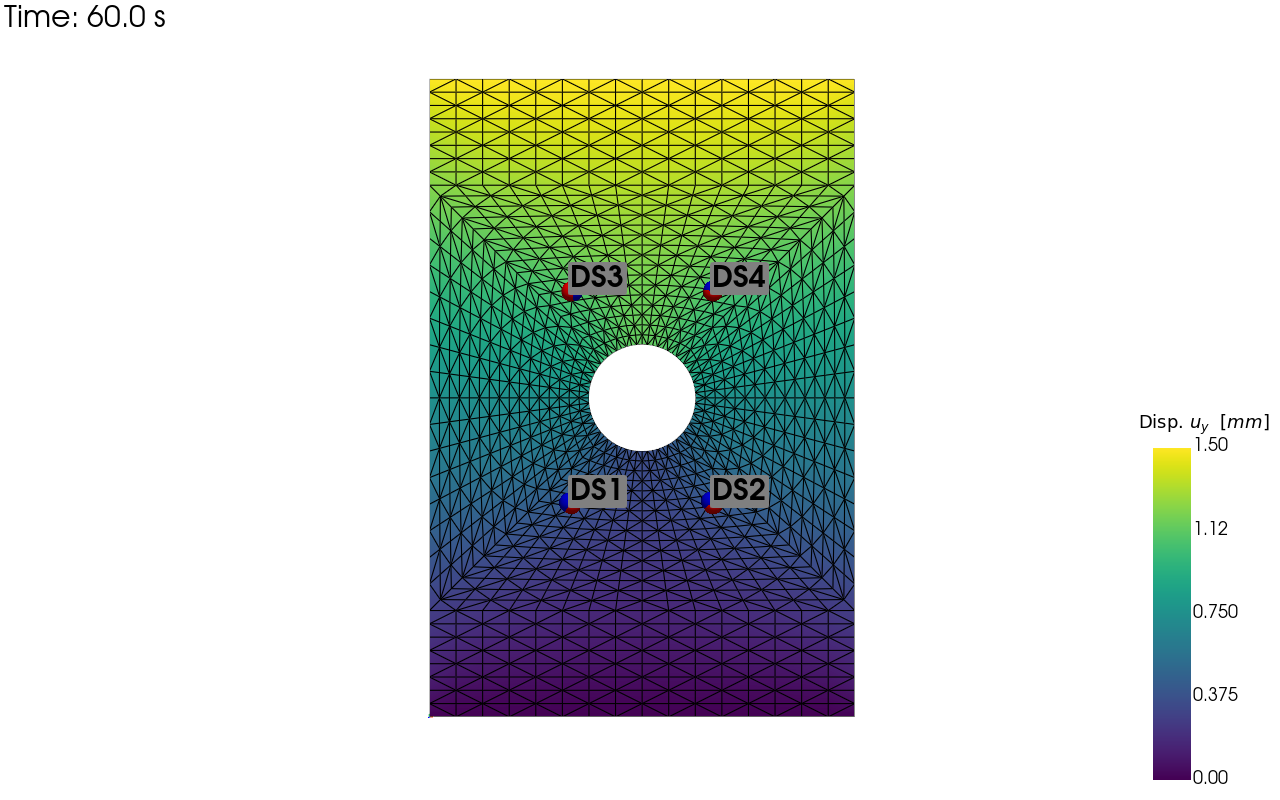
    pv_plot = sens.plot_point_sensors_on_sim(sens_array,kk)
    pv_plot.camera_position = "xy"

    # Set to False to show an interactive plot instead of saving the figure
    pv_plot.off_screen = True
    if pv_plot.off_screen:
        pv_plot.screenshot(output_path/f"ext_ex3c_locs_{kk}.png")
    else:
        pv_plot.show()
for kk in disp_keys:
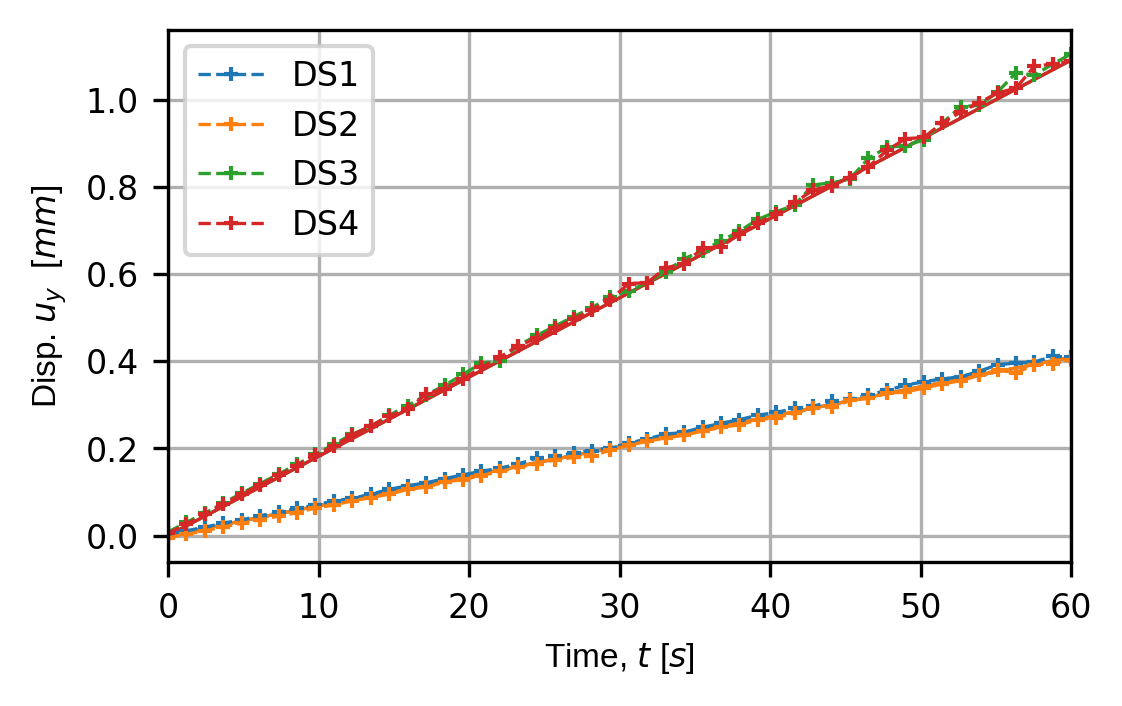
    (fig,ax) = sens.plot_time_traces(sens_array,comp_key=kk)
    fig.savefig(output_path/f"ext_ex3c_traces_{kk}.png",
                dpi=300,
                bbox_inches="tight")

# Uncomment this to display the sensor trace plot
# plt.show()