Note
Go to the end to download the full example code.
Riley: Digital Image Correlation UQ
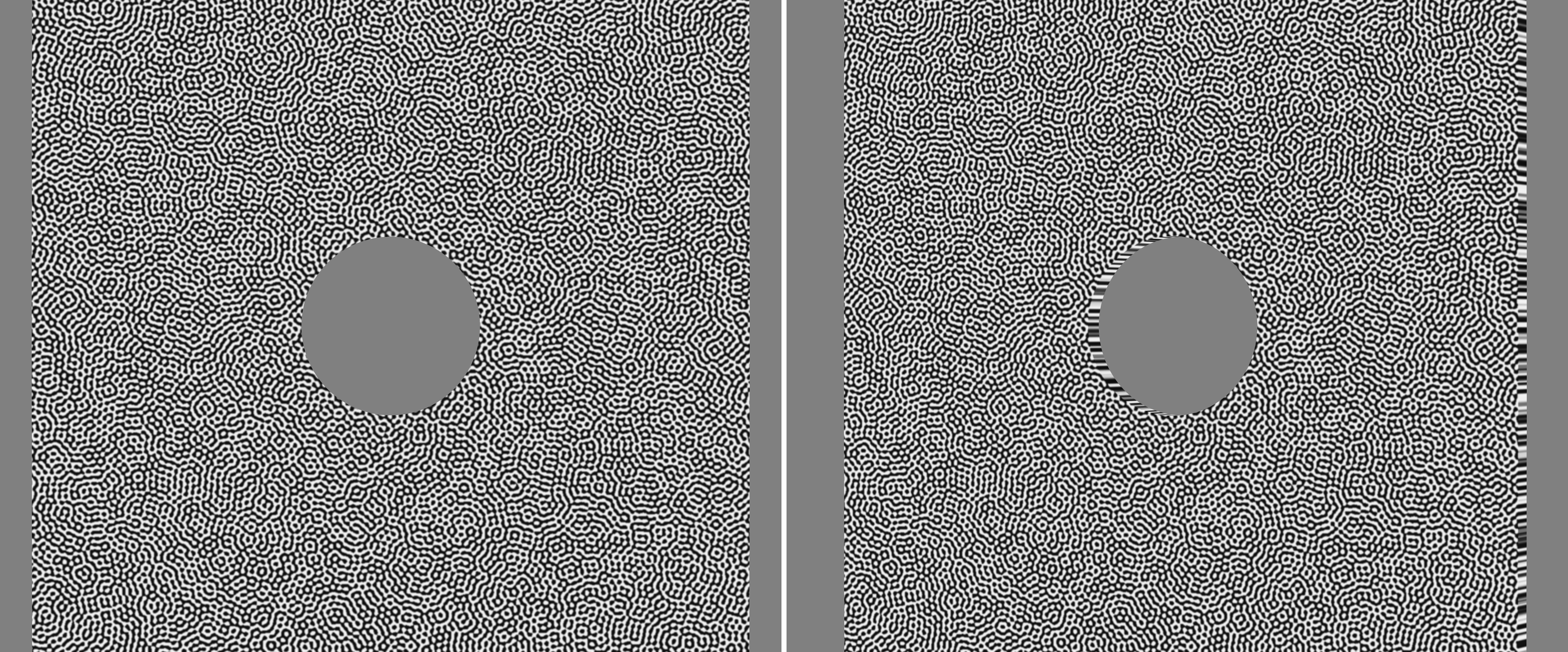
In this example we render stereo camera images of a speckle pattern applied to a plate with a hole loaded in tension. For this case we specifically choose parameters representative of typical stereo DIC setups.
1. Load the deforming mesh and assign a speckle texture
data_dir = riley.data.platehole_csv_case_path()

simulation = io.SimData(
    coords=riley.load_csv(data_dir / "coords.csv"),
    connect={
        "connect": riley.load_csv(
            data_dir / "connect.csv",
            dtype=np.int64,
        ),
    },
    node_vars={
        f"disp_{axis}": riley.load_csv(
            data_dir / f"field_disp_{axis}.csv",
        )
        for axis in "xyz"
    },
)

uvs = io.load_array(data_dir / "uvs.csv", header=None, delimiter=",")
texture = riley.load_texture_mono_u8(riley.data.speckle_texture_path())

mesh = render.meshes3d_from_simdata(
    simulation,
    {"connect": riley.ConnectConvention(
        riley.EElemType.QUAD8, riley.EConnectAxis.ROW, 0,
        riley.ENodeOrder.RILEY,
    )},
    shaders={"connect": riley.TextureShader(uvs=uvs, texture=texture)},
    displacement_keys=("disp_x", "disp_y", "disp_z"),
)["connect"]

# We only render the first and last frame to save time. If you want to render
# all frames comment this out.
frame_indices = render.first_last_frame_indices(mesh.displacements.shape[0])
mesh.displacements = render.select_frames(mesh.displacements, frame_indices)
2. Create and position a distorted stereo camera pair
pixels_num = (2464, 2056)
pixels_size = (3.45e-6, 3.45e-6)
focal_length = 50.0e-3
roi_centre = tuple(render.mesh_center(mesh))

rot_world_0 = (0.0, 0.0, 0.0)
pos_world_0 = tuple(
    render.cam_pos_frame_points(
        mesh.coords,
        pixels_num,
        pixels_size,
        focal_length,
        rot_world_0,
        fov_scale=0.65,
    )
)

rot_world_1 = (0.0, float(np.deg2rad(20.0)), 0.0)
pos_world_1 = tuple(
    render.cam_pos_frame_points(
        mesh.coords,
        pixels_num,
        pixels_size,
        focal_length,
        rot_world_1,
        fov_scale=0.65,
    )
)

distortion_model = int(render.EDistortionModel.BROWN_CONRADY)

camera_0 = riley.Camera(
    pixels_num=pixels_num,
    pixels_size=pixels_size,
    pos_world=pos_world_0,
    rot_world=rot_world_0,
    roi_cent_world=roi_centre,
    focal_length=focal_length,
    sub_sample=4,
    distort_model=distortion_model,
    distort_k1=-0.2,
    distort_k2=0.1,
    distort_p1=0.0001,
    distort_p2=-0.0001,
)

camera_1 = copy.deepcopy(camera_0)
camera_1.rot_world = rot_world_1
camera_1.pos_world = pos_world_1
3. Configure and build the renderer
config = riley.RasterConfig(
    parallel=4,
    save_strategy=riley.SaveStrategy.disk,
)
config.background_value = 128.0
config.save_scaling = riley.ScaleStrategy.none

output_dir = Path.cwd() / "pyvale-output" / "render3d_ex1d_riley_dicuq"

renderer = render.Riley(config, output_dir)
4. Build the scene and render the deforming specimen
scene = render.Scene3D(meshes=[mesh], cameras=[camera_0, camera_1])
result = renderer.render(scene)
5. Save the stereo pair in Riley’s exchange format
The calibration example loads its cameras from this file.
riley.save_stereo_pair(
    str(output_dir),
    "stereo_data_opengl.csv",
    camera_0,
    camera_1,
)

riley.save_stereo_pair(
    str(output_dir),
    "stereo_data_opencv.csv",
    replace(camera_0, coord_sys=riley.CameraCoordSys.opencv),
    replace(camera_1, coord_sys=riley.CameraCoordSys.opencv),
)
print(f"Rendered the stereo DIC images to {output_dir}")
print(f"{result.images=}")
The first frame from both cameras is combined side by side below.