Note
Go to the end to download the full example code.
Riley: Point spread functions
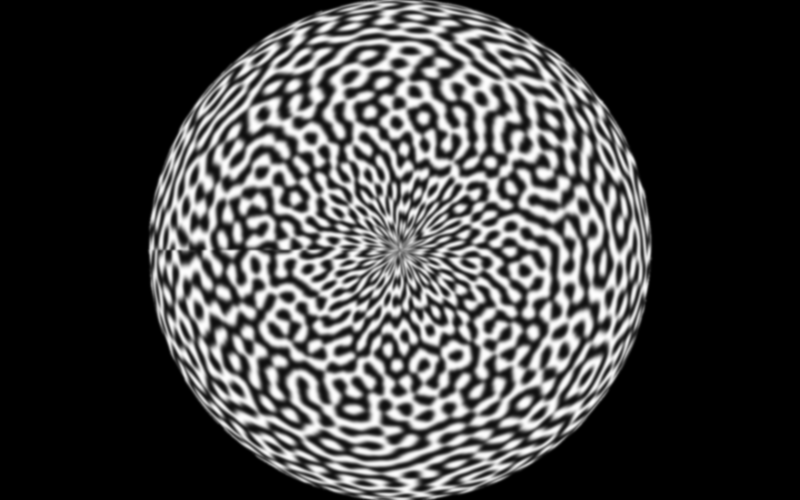
Compare Riley point spread function buffer modes through pyvale.render.
1. Load the mesh and assign a texture shader
data_dir = riley.data.sphere200_case_path()
simulation = io.MeshLoader(
    load_dir=data_dir,
    coords_file="coords.csv",
    connect_files="connect.csv",
    load_opts=io.SimLoadOpts(coord_header=None),
).load_mesh()

uvs = io.load_array(data_dir / "uvs.csv", header=None, delimiter=",")
texture = riley.load_texture_mono_u8(riley.data.speckle_texture_path())

shader = riley.TextureShader(uvs=uvs, texture=texture)
mesh = render.meshes3d_from_simdata(
    simulation,
    {"connect": riley.ConnectConvention(
        riley.EElemType.TRI6, riley.EConnectAxis.ROW, 0,
        riley.ENodeOrder.RILEY,
    )},
    shaders={"connect": shader},
)["connect"]
2. Create a camera with a Gaussian PSF
pixels_num = np.array((800, 500))
pixels_size = np.array((5.3e-6, 5.3e-6))
focal_length = 50.0e-3
camera = render.Camera(
    pixels_num=pixels_num,
    pixels_size=pixels_size,
    pos_world=np.zeros(3),
    rot_world=Rotation.identity(),
    roi_cent_world=np.zeros(3),
    focal_length=focal_length,
    subsample=2,
    psf_type=render.EPSFType.GAUSSIAN,
    psf_sigma_x=1.0,
    psf_support_rad=3.0,
)
camera = render.cam_frame_mesh(camera, mesh, fov_scale=1.0)
3. Configure the two renderer variants
output_root = Path.cwd() / "pyvale-output" / "render3d_ex1g_riley_psf"

buffer_modes = (
    riley.BufferMode.global_subpx_full,
    riley.BufferMode.global_subpx_stripe,
)
4. Build and render the same scene with each configuration
scene = render.Scene3D(meshes=[mesh], cameras=[camera])

for buffer_mode in buffer_modes:
    config = riley.RasterConfig(
        parallel=4,
        save_strategy=riley.SaveStrategy.disk,
    )

    config.buffer_mode = buffer_mode
    output_dir = output_root / buffer_mode.name
    renderer = render.Riley(config, output_dir)
    result = renderer.render(scene)

    print(f"Rendered {buffer_mode.name} output to {output_dir}")
    print(f"{result.images=}")
The global_subpx_full result is used as the representative buffer mode.