Note
Go to the end to download the full example code.
Blender: Calibration Target Render
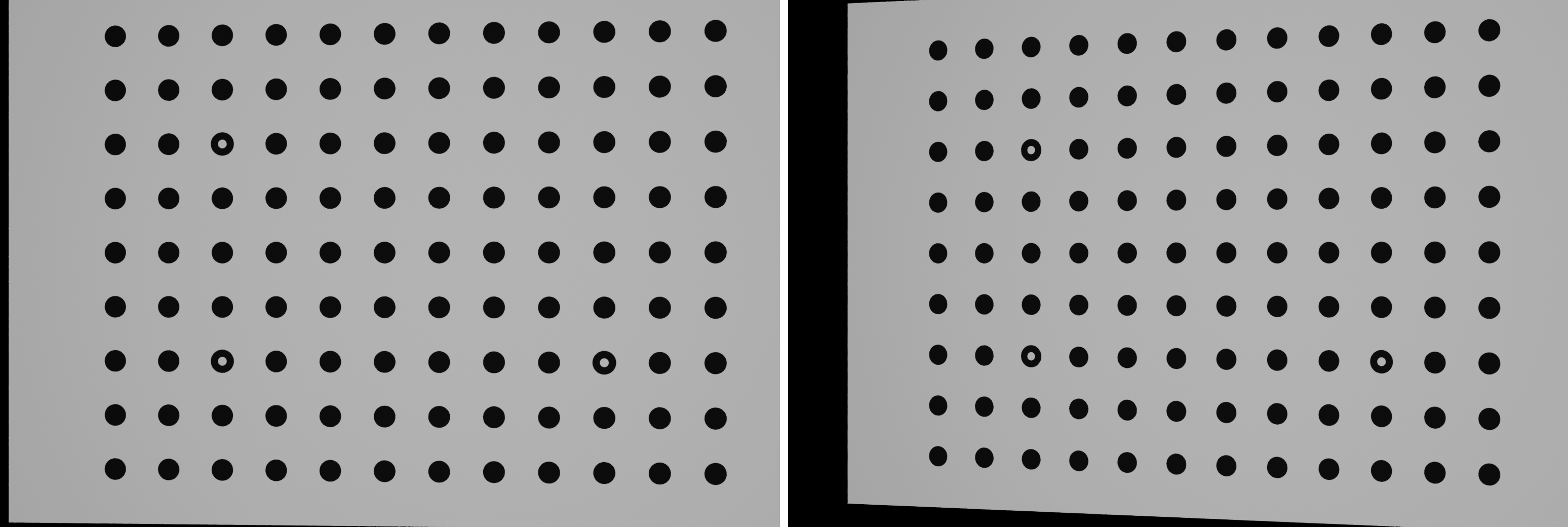
This example demonstrates how to render a physical calibration target swept through multiple positions, rotations, and depths in Blender to generate synthetic calibration images for stereo DIC systems.
Workflow: 1. Define the physical calibration target dimensions, texture, and resolution. 2. Construct convergent stereo cameras and lighting. 3. Configure target movement sweep limits and Blender backend settings. 4. Render the calibration image stack and inspect the generated TIFF files.
1. Define calibration target geometry and texture
Specify the target physical dimensions (width, height, thickness in mm).
target_size = np.array((150.0, 100.0, 10.0))
target = render.BlenderCalibrationTarget(
    size=target_size,
    image_path=dataset.cal_target(),
    millimetres_per_pixel=0.1,
)
2. Create convergent stereo cameras and illumination
cam_base = render.Camera(
    pixels_num=np.array((1540, 1040)),
    pixels_size=np.array((0.00345, 0.00345)),
    pos_world=np.array((0.0, 0.0, 400.0)),
    rot_world=Rotation.identity(),
    roi_cent_world=np.zeros(3),
    focal_length=15.0,
)

stereo_angle = 15.0  # degrees
stereo_cameras = render.stereo_build_faceon(cam_base, stereo_angle)

light = render.Light(
    light_type=render.ELightType.POINT,
    pos_world=np.array((0.0, 0.0, 200.0)),
    direction_world=np.zeros(3),
    intensity=1.0,
)
3. Configure target pose sweep and Blender backend
output_dir = (
    Path.cwd() / "pyvale-output"
    / "render3d_ex2f_blender_calibration_target"
)
config = render.BlenderConfig(
    output_dir=output_dir,
    samples=4,
    threads=8,
)

# Configure pose sweep limits. For this quick example, we cap at 10 images.
# To render a full calibration grid across FOV, omit max_images and specify
# broader angle and plunge limits (e.g. angle_lims=(-10, 10), step=5).
cal_data = render.BlenderCalibrationData(
    angle_lims=(-5.0, 5.0),
    angle_step=5.0,
    plunge_lims=(-2.0, 2.0),
    plunge_step=2.0,
    max_images=10,
)
4. Render calibration target images
result = render.render_calibration_images(
    target=target,
    cameras=stereo_cameras,
    config=config,
    data=cal_data,
    lights=[light],
)

print(f"Rendered {len(result.output_paths)} calibration TIFF images.")
print(f"Calibration images directory: {output_dir / 'calimages'}")
The first calibration pose from both cameras is combined side by side below.