Note
Go to the end to download the full example code.
Render UVs: Intro and planar projection
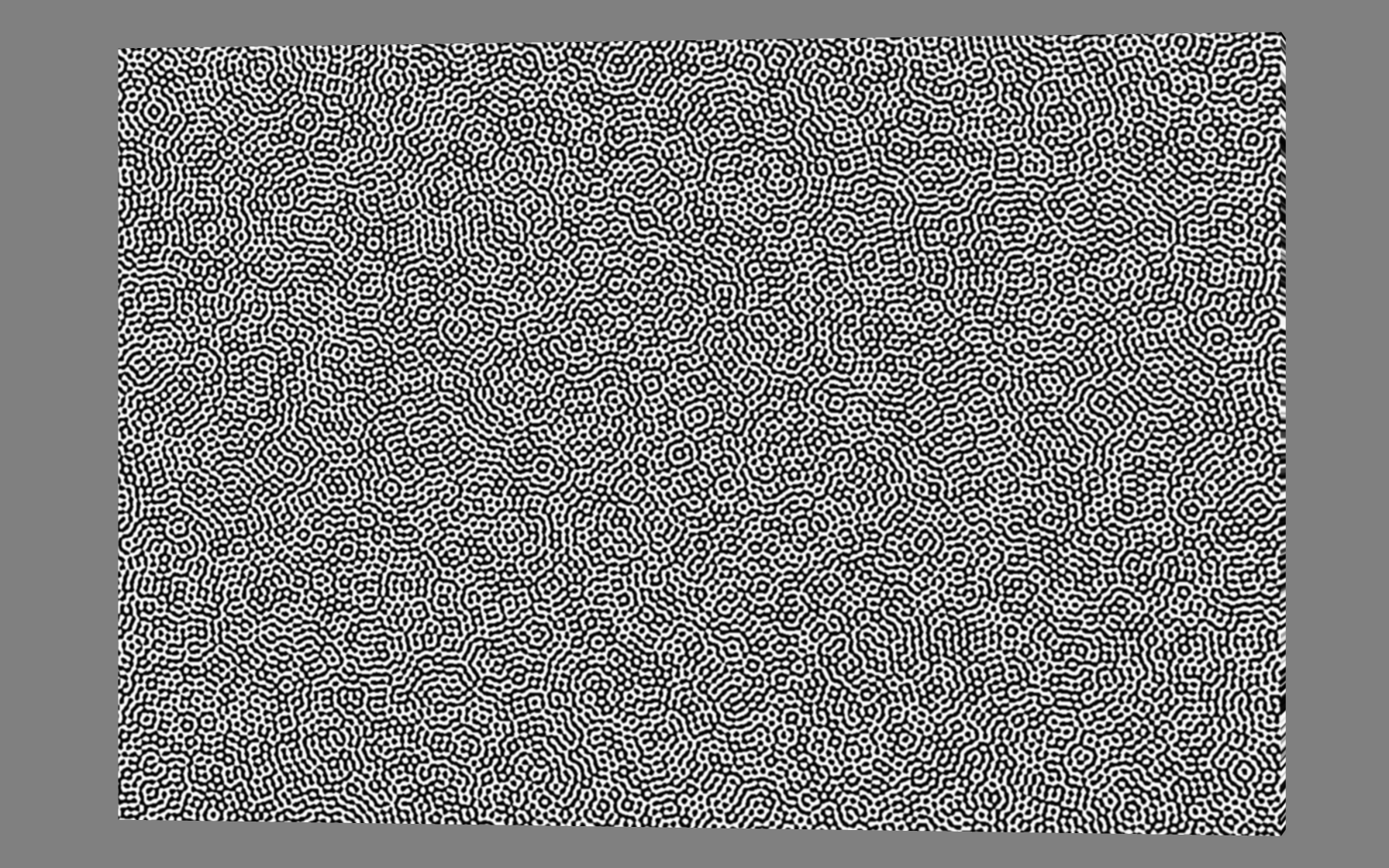
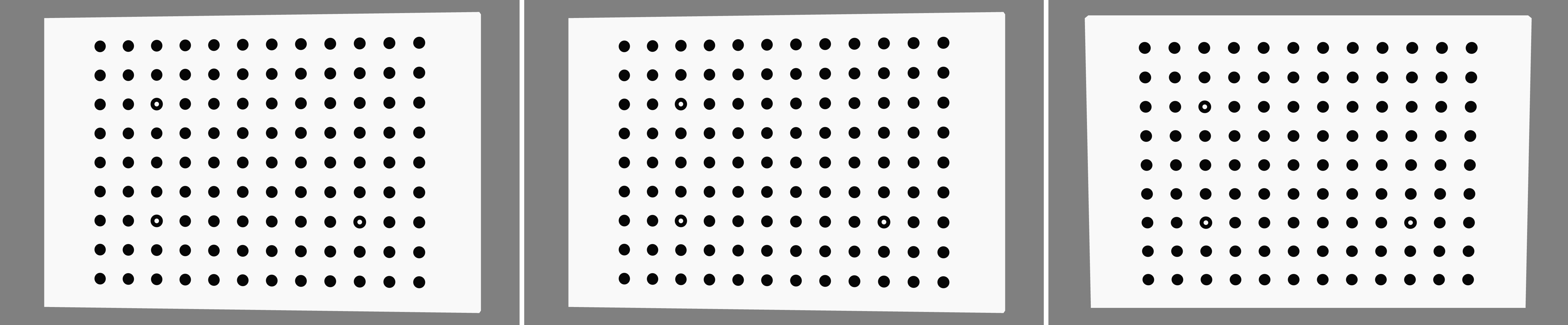
This example maps a texture to a stereocalibration plate after orienting it in the XY, YZ, and XZ planes. Then we map a speckle pattern onto the calibration plate and scale it to the desired pixel/speckle resolution.
UV coordinates are normalised to be between 0 and 1. UV=(0,0) indicates the reference corner of the texture and UV=(1,1) is the far corner. The packaged speckle texture is 2464x2056 pixels, so U=1 and V=1 address its far edges.
For most DIC cases we have a component with a flat surface and want to project a texture onto it. We generally know the feature size or pitch in the input texture and either its required physical length or its desired size in the final camera image.
For off axis and stereo cameras the image scale is not constant over the field of view. Here we use Riley’s average scale on the camera normal plane through the region of interest centre.
The way to achieve this mapping and scaling is through specifying UVs which are nodal attributes of the input mesh to be rendered.
There are more advanced tools for mapping UVs to complex surfaces in Blender if you need them.
1. Load the packaged three dimensional calibration plate
The calibration plate is a TRI3 surface mesh with front, back, and side faces.
data_dir = riley.data.stereocal_case_path()
simulation = io.MeshLoader(
    load_dir=data_dir,
    coords_file="coords.csv",
    connect_files="connect.csv",
    load_opts=io.SimLoadOpts(coord_header=None),
).load_mesh()

base_mesh = render.meshes3d_from_simdata(
    simulation,
    {"connect": riley.ConnectConvention(
        riley.EElemType.TRI3, riley.EConnectAxis.ROW, 0,
        riley.ENodeOrder.RILEY,
    )},
)["connect"]
cal_texture = riley.load_texture_mono_u8(riley.data.cal_target_texture_path())

mesh_center = render.mesh_center(base_mesh)
2. Orient the plate in each axis aligned projection plane
Each rotation moves the plate face into the requested world plane. UVs are then generated from the same plane, while an off axis camera reveals the plate thickness and its physical orientation.
yz_mesh_rotation = Rotation.from_euler(
    "xyz",
    (90.0, 0.0, 90.0),
    degrees=True,
)

yz_camera_rotation = yz_mesh_rotation * Rotation.from_euler(
    "y",
    10.0,
    degrees=True,
)

xz_mesh_rotation = Rotation.from_euler("x", 90.0, degrees=True)
xz_camera_rotation = xz_mesh_rotation * Rotation.from_euler(
    "x",
    -10.0,
    degrees=True,
)

variants = (
    (
        "xy",
        render.EUVPlane.XY,
        Rotation.identity(),
        Rotation.from_euler("y", 10.0, degrees=True),
    ),
    (
        "yz",
        render.EUVPlane.YZ,
        yz_mesh_rotation,
        yz_camera_rotation,
    ),
    (
        "xz",
        render.EUVPlane.XZ,
        xz_mesh_rotation,
        xz_camera_rotation,
    ),
)
3. Map a calibration target using its physical feature pitch
The packaged target has a measured 177.1 texture pixels per dot pitch. We
request a physical pitch of 1.25 mm in the simulation coordinate units.
uv_map_planar_scaled therefore preserves the experimental target scale
rather than fitting the texture arbitrarily to the mesh.
output_dir = Path.cwd() / "pyvale-output" / "renderuvs_ex1a_uv_planar_axes"
texture_px_per_feature_pitch = 177.1
feature_pitch = 1.25e-3
texture_px_per_leng = render.uv_calc_texture_px_per_leng(
    texture_px_per_feature_pitch,
    feature_pitch,
)

for variant_name, projection_plane, mesh_rotation, camera_rotation in variants:
    oriented_mesh = render.mesh_rotate(
        base_mesh,
        mesh_rotation,
        pivot=mesh_center,
    )

    camera = render.Camera(
        pixels_num=np.array((1792, 1120)),
        pixels_size=np.array((5.5e-6, 5.5e-6)),
        pos_world=np.zeros(3),
        rot_world=camera_rotation,
        roi_cent_world=render.mesh_center(oriented_mesh),
        focal_length=35.0e-3,
        subsample=4,
    )
    camera = render.cam_frame_mesh(
        camera,
        oriented_mesh,
        fov_scale=render.cam_coverage_to_fov_scale(0.90),
    )

    mapping = render.uv_map_planar_scaled(
        oriented_mesh.coords,
        cal_texture[0],
        texture_px_per_leng,
        plane=projection_plane,
    )

    textured_mesh = render.Mesh3D(
        element_type=oriented_mesh.element_type,
        coords=oriented_mesh.coords,
        connectivity=oriented_mesh.connectivity,
        shader=riley.TextureShader(
            uvs=mapping.uvs,
            texture=mapping.texture[None, :, :],
        ),
    )

    render_uv_example(textured_mesh, camera, output_dir / variant_name)
The XY, YZ, and XZ projection cases are shown from left to right. Their matching physical dot pitch makes differences caused by the projection plane easy to compare.
4. Map a speckle texture to a desired final feature size
The packaged speckle pattern has a nominal feature size of five texture pixels. We also request five image pixels per feature in the rendered image. The camera scale at the ROI connects these two pixel spaces through physical simulation length.
speckle_texture = riley.load_texture_mono_u8(riley.data.speckle_texture_path())

speckle_mesh = base_mesh

speckle_camera = render.Camera(
    pixels_num=np.array((1792, 1120)),
    pixels_size=np.array((5.5e-6, 5.5e-6)),
    pos_world=np.zeros(3),
    rot_world=Rotation.from_euler("y", 10.0, degrees=True),
    roi_cent_world=render.mesh_center(speckle_mesh),
    focal_length=35.0e-3,
    subsample=4,
)

speckle_camera = render.cam_frame_mesh(
    speckle_camera,
    speckle_mesh,
    fov_scale=render.cam_coverage_to_fov_scale(0.90),
)

image_leng_per_px = render.cam_calc_leng_per_px(speckle_camera)
texture_px_per_feature_size = 5.0
desired_image_px_per_feature_size = 5.0

speckle_texture_px_per_leng =  render.uv_calc_texture_px_per_leng_from_image(
    texture_px_per_feature_size,
    desired_image_px_per_feature_size,
    image_leng_per_px,
)

speckle_mapping = render.uv_map_planar_scaled(
    speckle_mesh.coords,
    speckle_texture[0],
    speckle_texture_px_per_leng,
    bounds=render.EUVBounds.TILED,
)

speckled_mesh = render.Mesh3D(
    element_type=speckle_mesh.element_type,
    coords=speckle_mesh.coords,
    connectivity=speckle_mesh.connectivity,
    shader=riley.TextureShader(
        uvs=speckle_mapping.uvs,
        texture=speckle_mapping.texture[None, :, :],
    ),
)

render_uv_example(speckled_mesh, speckle_camera, output_dir / "speckle")

feature_size = render.uv_calc_feature_leng(
    desired_image_px_per_feature_size,
    image_leng_per_px,
)

print(
    f"Speckle feature size={feature_size:.6g}, "
    f"image scale={image_leng_per_px:.6g} length/px, "
    f"target={desired_image_px_per_feature_size:.1f} px/feature"
)

print(f"Rendered axis aligned UV projections to {output_dir}")
The speckle render is a separate experimental workflow: its scale comes from the requested five image pixels per feature rather than calibration dot pitch, so it is shown separately from the projection plane comparison.