Note
Go to the end to download the full example code.
Riley: Rendering Quickstart
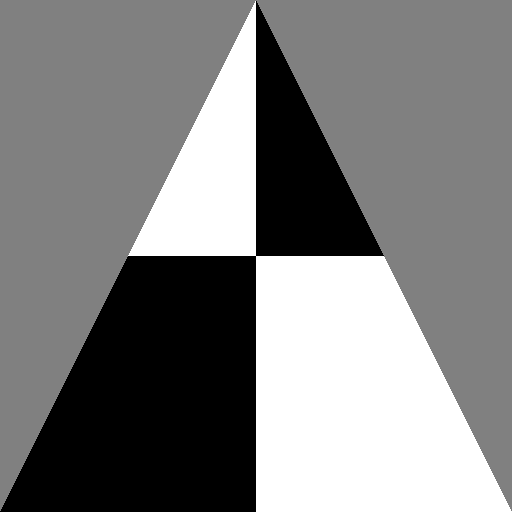
Here we render a single triangle with Riley through the unified pyvale render module.
The common workflow for a rendering simulation in pyvale is: 1. Load and/or create meshes assigning shaders and displacement fields 2. Create cameras and position them in the scene 3. Set render configuration and use this to build the render backend 4. Build the scene then render images to memory and/or disk
Riley is the default rendering backend for digital image correlation (DIC) uncertainty quantification with pyvale. Riley supports full 3D rendering for stereo DIC but is also the default for 2D image simulation due to its computation speed and verification suite independent of DIC.
1. Make the triangle mesh
coords = np.array(((-1.0, -1.0, 0.0), (1.0, -1.0, 0.0), (0.0, 1.0, 0.0)))
connect = np.array(((0, 1, 2),))

shader = riley.FunctionShader(
    builtin=riley.FuncShaderBuiltin.checker,
    coord_mode=riley.FuncCoordMode.world_reference,
    params=riley.FuncShaderParams(coord_scale=(4.0, 4.0)),
    scaling_type=riley.ScaleStrategy.auto,
)
mesh = render.Mesh3D(
    element_type=render.EElemType.TRI3,
    coords=coords,
    connectivity=connect,
    shader=shader,
)
2. Create and position a camera
camera = render.Camera(
    pixels_num=np.array((512, 512)),
    pixels_size=np.array((0.02, 0.02)),
    pos_world=np.array((0.0, 0.0, 2.0)),
    rot_world=Rotation.identity(),
    roi_cent_world=np.zeros(3),
    focal_length=1.0,
    subsample=4,
)

camera = render.cam_frame_mesh(camera, mesh, fov_scale=1.0)
3. Build renderer backend
config = riley.RasterConfig(
    parallel=1,
    save_strategy=riley.SaveStrategy.both,
    image_save_mode=riley.ImageSaveMode.grey,
)
config.report = riley.ReportMode.bench
config.save_scaling = riley.ScaleStrategy.none

output_dir = Path.cwd() / "pyvale-output" / "render3d_ex1a_riley_quickstart"

renderer = render.Riley(config, output_dir)
4. Render images from scene
scene = render.Scene3D([mesh], [camera])
result = renderer.render(scene)

assert result.images is not None
print(f"{result.images.shape=}")
The first rendered frame is shown below.